Obchody sú váš predajný lievik: každá obchodná príležitosť má zákazníka, hodnotu, očakávaný dátum uzavretia, zodpovednú osobu a fázu. Presúvate ich po tabuli, až kým ich nevyhráte alebo neprehráte.
Pre: zamestnancov, administrátorov a vlastníka · Fázy nastavujú: administrátori Ponuka → Predaj a CRM → Obchody
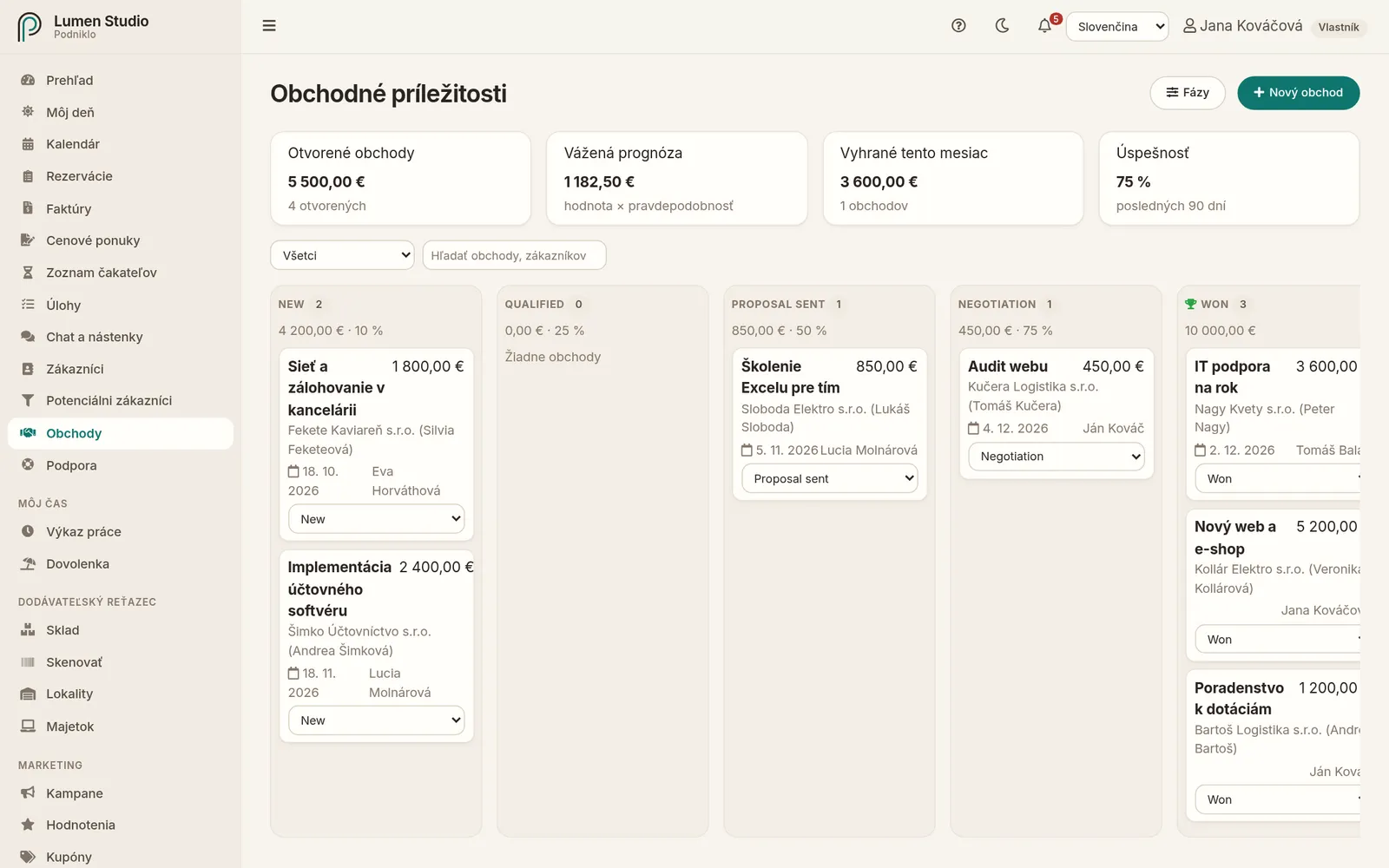
Tabuľa obchodov podľa fáz s prehľadom otvorených a vyhraných obchodov hore.
Prehľad hore
Otvorené obchody – súčet hodnôt a počet obchodov, ktoré ešte prebiehajú.
Vážená prognóza – hodnota × pravdepodobnosť výhry, teda realistický odhad, koľko z otvorených obchodov získate.
Vyhrané tento mesiac a úspešnosť za posledných 90 dní.
Fázy obchodov
Pri prvom otvorení Obchodov administrátor nastaví fázy, ktorými obchody prechádzajú, napríklad Nový dopyt → Stretnutie → Ponuka odoslaná → Rokovanie. Neskôr ich upraví tlačidlom Fázy:
každá fáza má názov, typ (prebieha, vyhraný, prehraný) a predvolenú pravdepodobnosť výhry,
poradie zmeníte šípkami Posunúť vyššie a Posunúť nižšie,
musí existovať jedna fáza „vyhraný“ a jedna „prehraný“; fázu, v ktorej sú obchody, nemožno odstrániť.
Deals are your sales pipeline: each opportunity has a customer, a value, an expected close date, an owner and a stage. Move them across the board until you win or lose them.
For: staff, admins and owners · Stages: admins Menu → Sales & CRM → Deals
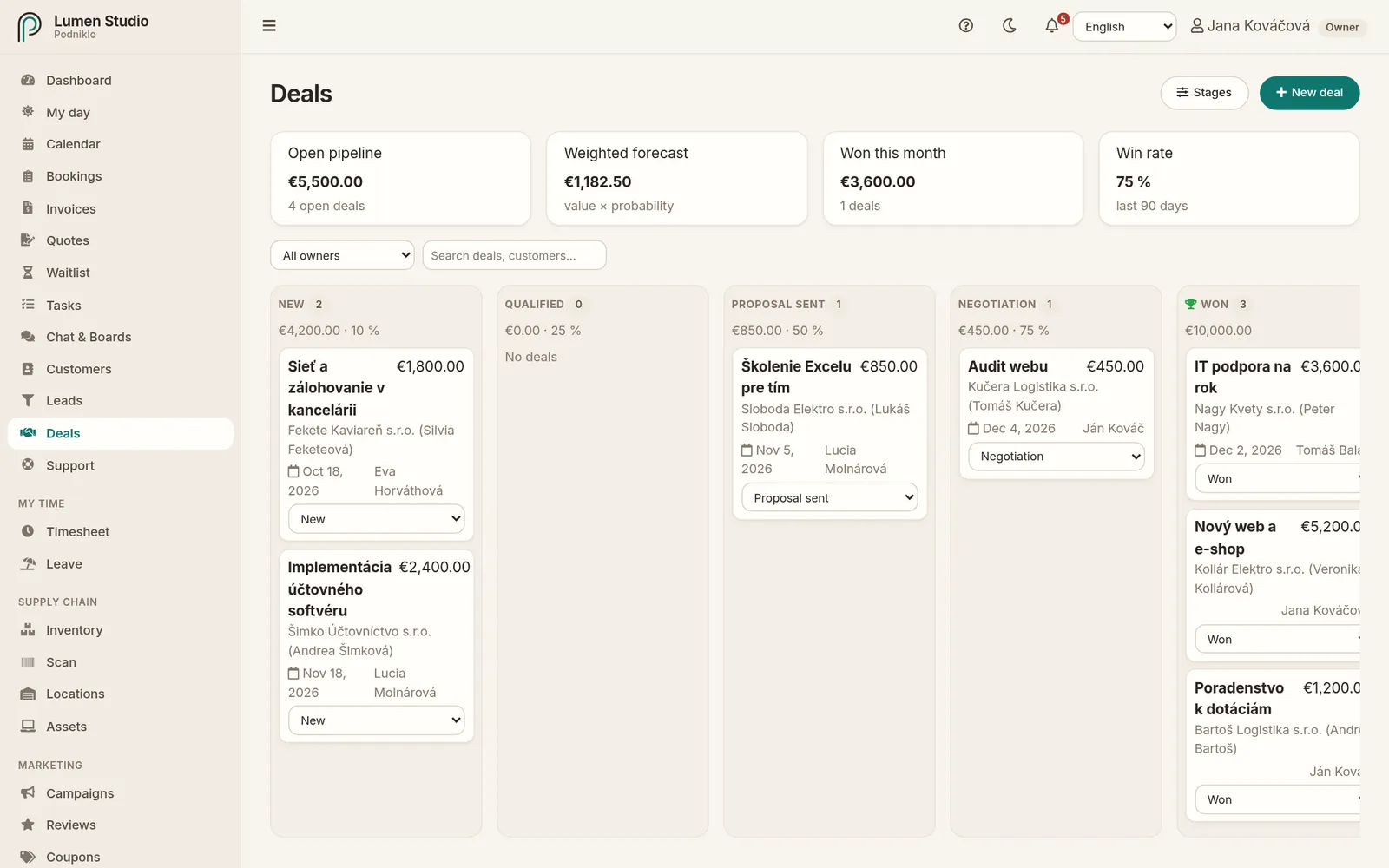
The deals board by stage, with open and won totals at the top.
The summary at the top
Open pipeline: the total value and number of deals still in progress.
Weighted forecast: value × win probability, a realistic estimate of what you'll get from open deals.
Won this month and the win rate over the last 90 days.
Pipeline stages
The first time Deals is opened, an admin sets the stages deals go through, for example New enquiry → Meeting → Quote sent → Negotiation. Change them later with Stages:
each stage has a name, a type (in progress, won, lost) and a default win probability,
reorder them with Move up and Move down,
there must be one won and one lost stage; a stage that still has deals can't be removed.
A new deal
Click New deal, or start one straight from a customer or a lead.
Enter a title (for example "New website for Hudák Café"), the value and the expected close date.
Pick the customer, the stage and the owner.
Leave the win probability empty to use the stage's default.
Save.
Working with the board
Drag a deal card into another stage. On a touch screen, use Move to stage.
Use My deals or the owner filter to see only yours. Search by title or customer.
You can also show deals as a list.
A deal's details
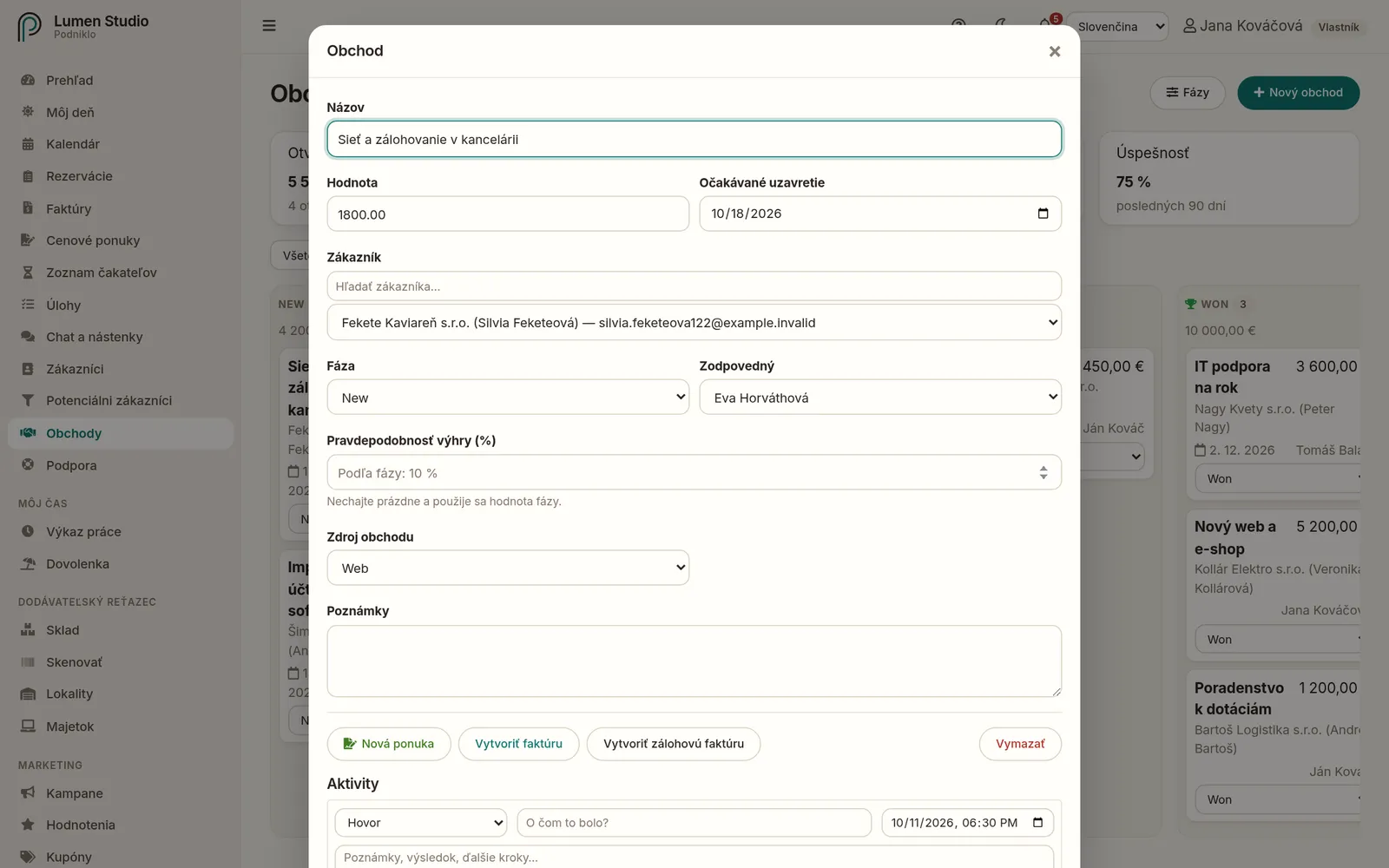
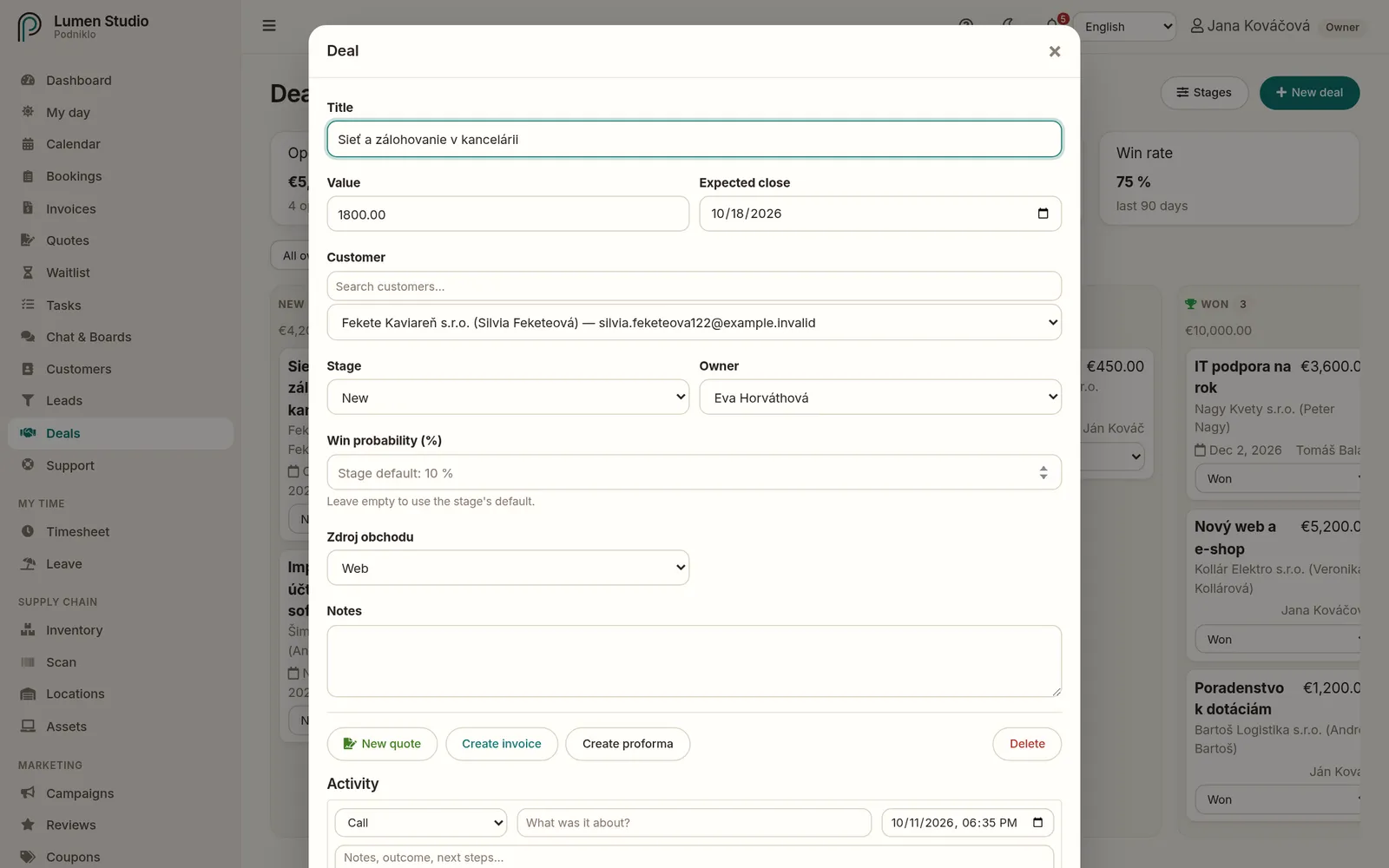
A deal with its activity, quotes and actions.
Activity: log a call, meeting, email or note with Log activity, optionally with a follow-up task.
New quote: creates a quote for this customer and deal.
Create invoice or Create proforma: an invoice draft with the deal's value.
Custom fields: if an admin added any for deals, for example "Deal source".
Won and lost
When the customer agrees, move the deal to the won stage. When the customer accepts a quote linked to the deal, the deal is marked won on its own.
If a deal fell through, click Mark as lost and note why it was lost. The reasons help you sell better later.
With automations you can, for example, create an "Issue the invoice" task for every won deal, or notify the owner about any deal over €5,000.