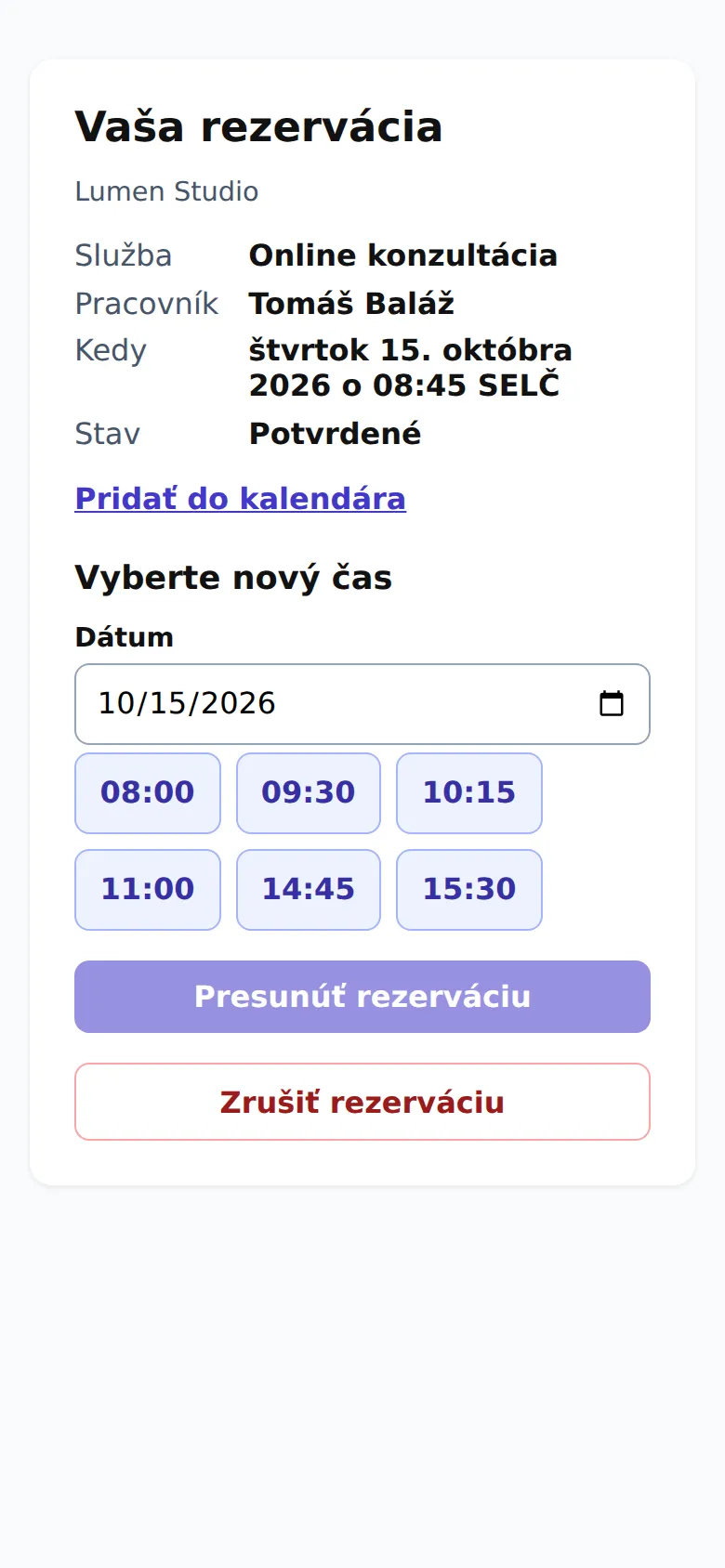
Každý e-mail s potvrdením rezervácie obsahuje odkaz, cez ktorý si zákazník rezerváciu presunie alebo zruší – bez prihlásenia a bez účtu.
Pre: zákazníkov vašej firmy
Stránka rezervácie s výberom nového času a zrušením.
Čo zákazník uvidí
Službu, pracovníka, dátum a čas a stav rezervácie.
Odkaz Pridať do kalendára – stiahne súbor .ics pre Google, Outlook či iPhone.
Ak treba zaplatiť zálohu, sumu a tlačidlo Zaplatiť.
Presun termínu
V časti Vyberte nový čas zákazník zvolí dátum.
Klikne na jeden z voľných časov.
Klikne na tlačidlo presunu, ktoré ukazuje nový čas (napríklad Presunúť na št 24. 10., 10:00). Dostane e-mail s novým termínom a firma upozornenie.
Zrušenie
Tlačidlo Zrušiť rezerváciu si vyžiada potvrdenie priamo na stránke; Áno, zrušiť rezerváciu zruší. Zákazník dostane potvrdzujúci e-mail. Ak zaplatil zálohu a zrušil včas, záloha sa mu vráti podľa nastavení firmy.
Lehota na zmeny
Online zmeny sú možné len do lehoty, ktorú firma nastavila v Nastaveniach, napríklad 24 hodín pred termínom. Po nej stránka zákazníkovi oznámi, aby firmu kontaktoval priamo.
Odkaz patrí len k jednej rezervácii. Ak zákazníkovi nefunguje, nech použije odkaz z najnovšieho e-mailu o rezervácii.
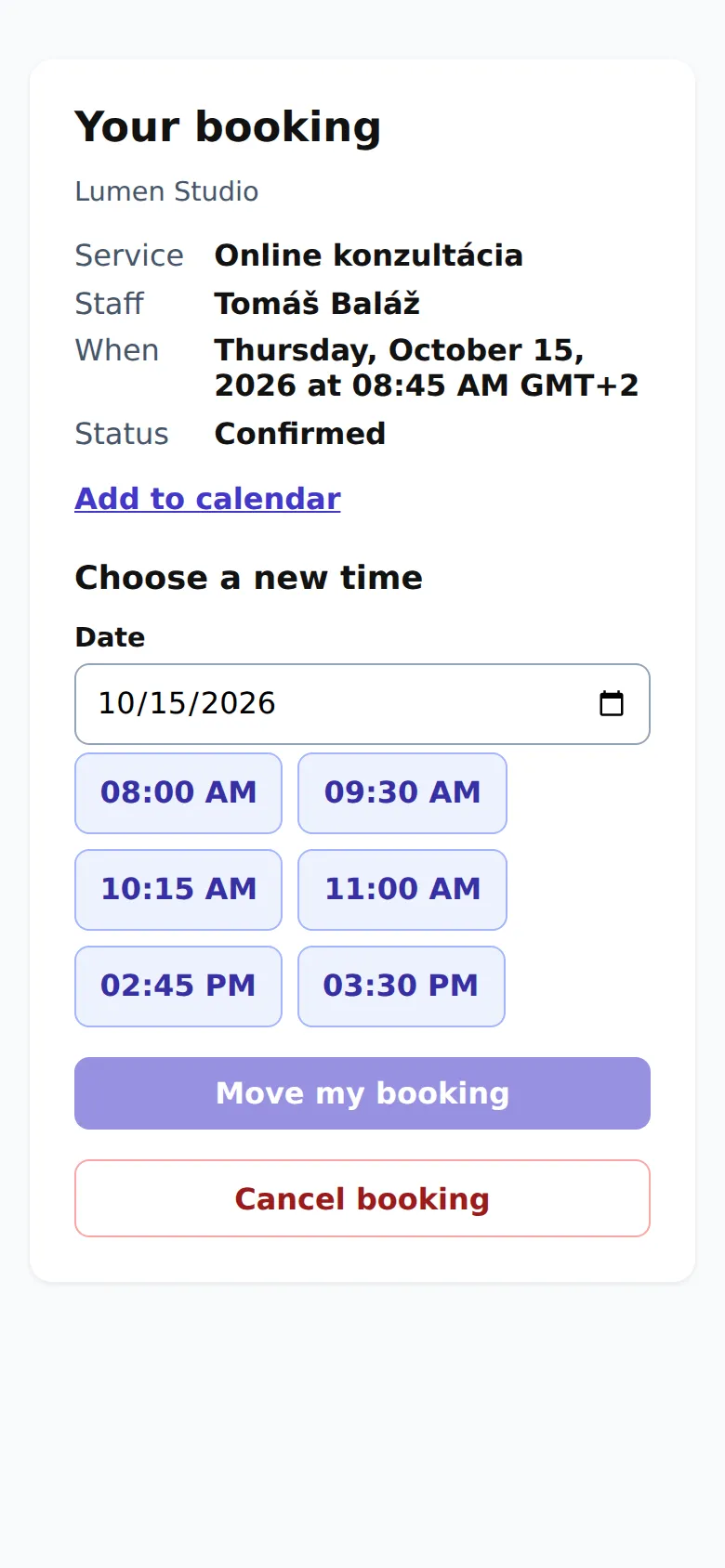
Every booking confirmation email contains a link where the customer can move or cancel their booking, without signing in and without an account.
For: your company's customers
The booking page with choosing a new time and cancelling.
What the customer sees
The service, staff member, date and time, and the booking's status.
An Add to calendar link that downloads an .ics file for Google, Outlook or iPhone.
If a deposit is due, the amount and a Pay now button.
Moving the appointment
Under Choose a new time, the customer picks a date.
They click one of the free times.
They click the move button, which names the new time (for example Move to Thu 24 Oct, 10:00). They get an email with the new time, and the company gets a notification.
Cancelling
Cancel booking asks for confirmation right on the page; Yes, cancel it cancels the booking. The customer gets a confirmation email. If they paid a deposit and cancelled in time, it's refunded according to the company's settings.
The cut-off for changes
Online changes are only possible up to the cut-off the company set in Settings, for example 24 hours before the appointment. After that, the page tells the customer to contact the company directly.
The link belongs to one booking only. If it doesn't work for a customer, they should use the link from their latest booking email.