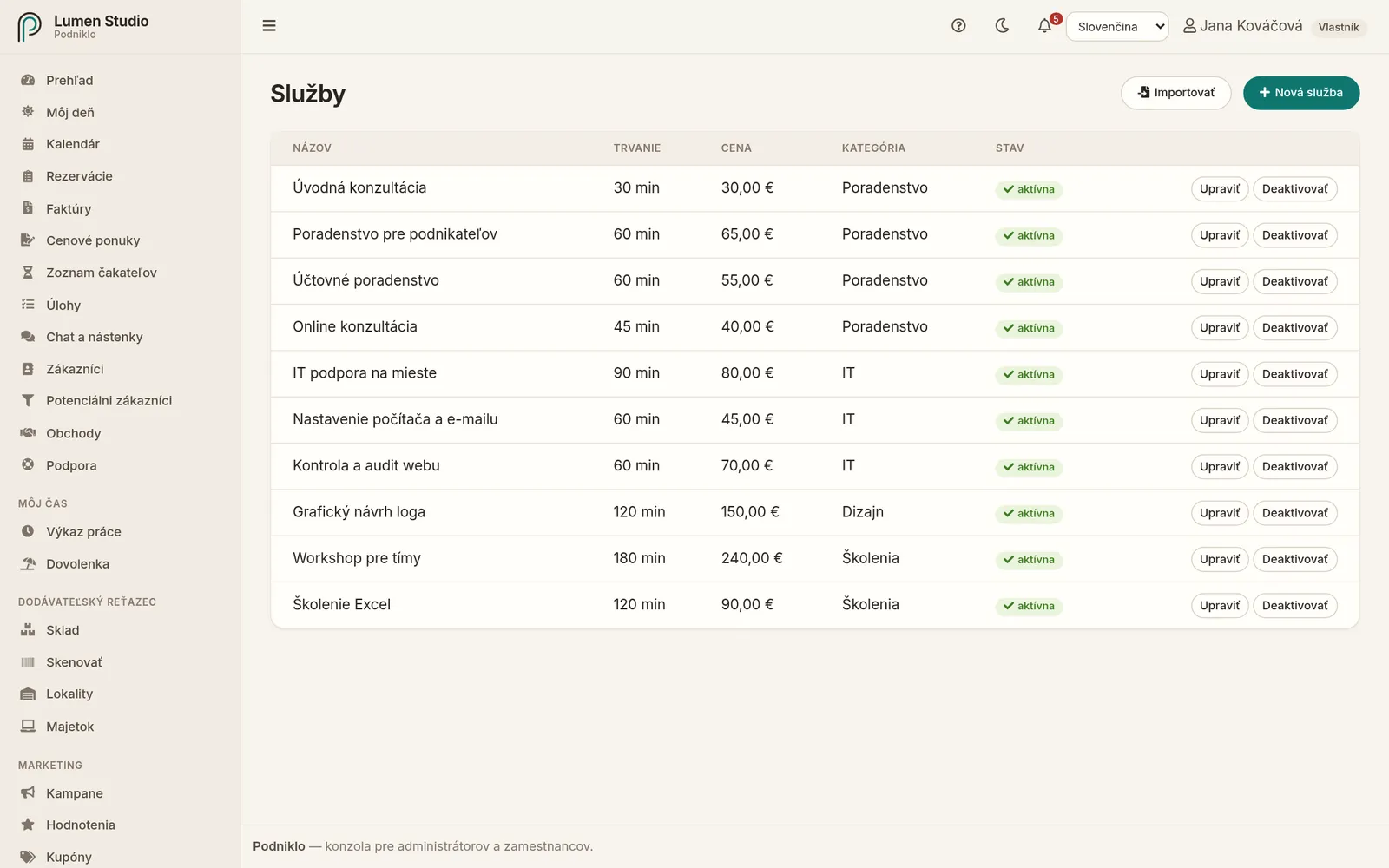
Cenník toho, čo si zákazníci môžu rezervovať: názov, dĺžka, prestávka po službe, cena a kategória.
Pre: administrátorov a vlastníka Ponuka → Plánovanie → Služby
Služby s dĺžkou, cenou, kategóriou a stavom.
Nová služba
Kliknite na Nová služba.
Zadajte názov a popis. Oboje sa zobrazí zákazníkom na rezervačnej stránke.
Zadajte trvanie v minútach.
Zadajte rezervu – čas po službe na upratanie či prípravu. Počas nej sa ďalšia rezervácia nedá vytvoriť.
Zadajte cenu a kategóriu (napríklad „Strihy“ alebo „Konzultácie“) a uložte.
Ako služba ovplyvňuje voľné časy
Voľný čas na rezervačnej stránke vzniká tam, kde má zdroj otvorené, nemá inú rezerváciu ani blokujúcu udalosť a kde sa zmestí dĺžka služby spolu s rezervou. Dlhšie služby preto majú menej voľných časov.
Úprava a deaktivácia
Tlačidlom Upraviť zmeníte ktorýkoľvek údaj. Zmena ceny platí pre nové rezervácie.
Službu, ktorú už neponúkate, Deaktivujte. Zmizne z rezervačnej stránky, ale existujúce rezervácie zostanú. Tlačidlom Aktivovať ju vrátite.
Import zo súboru
Celý cenník naraz nahráte tlačidlom Importovať zo súboru CSV so stĺpcami Name, Duration, Price, Buffer, Category, Description. Povinný je len názov. Import najprv súbor skontroluje a ukáže výsledok, až potom ho uložíte – rovnako ako import zákazníkov.
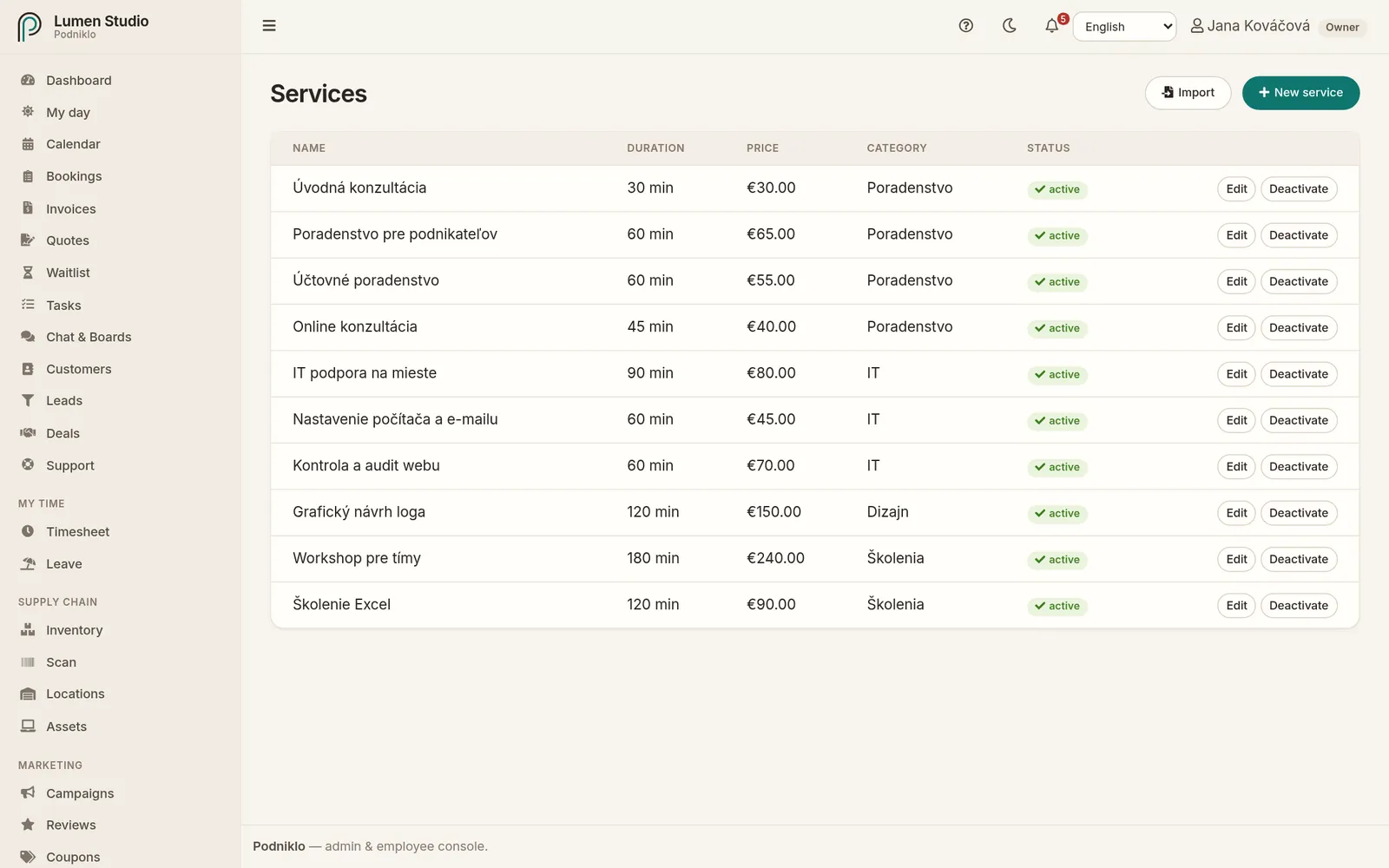
Your price list of what customers can book: name, duration, buffer after the service, price and category.
For: admins and owners Menu → Scheduling → Services
Services with duration, price, category and status.
A new service
Click New service.
Enter a name and description. Customers see both on the booking page.
Enter the duration in minutes.
Enter a buffer: time after the service for tidying up or preparing. No booking can start during it.
Enter the price and category (for example "Haircuts" or "Consultations") and save.
How a service affects free times
A free time appears on the booking page where a resource is open, has no other booking or blocking event, and the service's duration plus buffer fits. Longer services therefore have fewer free times.
Editing and deactivating
Edit changes any detail. A price change applies to new bookings.
Deactivate a service you no longer offer. It disappears from the booking page, but existing bookings stay. Activate brings it back.
Importing from a file
Upload your whole price list at once with Import, from a CSV file with the columns Name, Duration, Price, Buffer, Category, Description. Only the name is required. The import checks the file and shows the result first, and only then do you save it, just like the customer import.