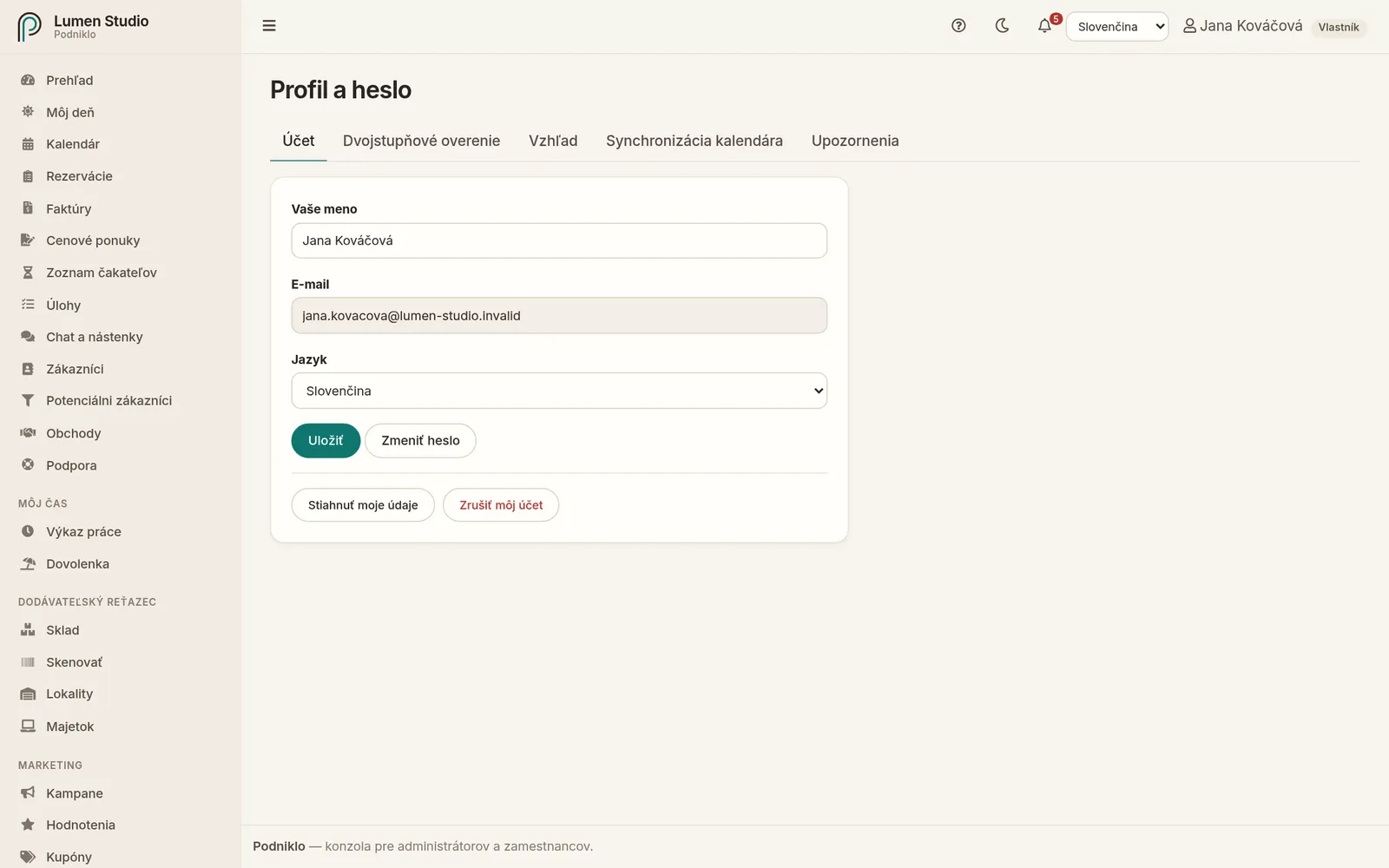
Vaše meno, jazyk, heslo a vaše osobné údaje. Profil otvoríte v ponuke používateľa vpravo hore cez Profil a heslo.
Pre: všetkých členov tímu Ponuka používateľa → Profil a heslo
Karta Účet v profile.
Profil má karty Účet, Dvojstupňové overenie, Vzhľad, Synchronizácia kalendára (pre zamestnancov a vyššie) a Upozornenia. Táto stránka popisuje kartu Účet, ostatné majú vlastné návody.
Meno a jazyk
Zmeňte celé meno a jazyk aplikácie a kliknite na Uložiť. Ak zmeníte jazyk, stránka sa znovu načíta. E-mail, ktorým sa prihlasujete, tu zmeniť nemôžete – ak ho potrebujete zmeniť, napíšte nám.
Zmena hesla
Kliknite na Zmeniť heslo.
Zadajte súčasné heslo a dvakrát nové heslo (aspoň 8 znakov).
Potvrďte druhý krok overenia – kód z aplikácie, záložný kód alebo prístupový kľúč.
Uložte. Na ostatných zariadeniach sa odhlásite.
Stiahnutie mojich údajov
Tlačidlom Stiahnuť moje údaje si stiahnete súbor so všetkým, čo Podniklo o vás ako o používateľovi eviduje. Ide o vaše právo na prístup k údajom a ich prenosnosť podľa GDPR.
Zrušenie účtu
Tlačidlom Zrušiť môj účet a potvrdením heslom natrvalo vymažete svoj účet, spôsoby prihlásenia, upozornenia a prepojené kalendáre. Odhlásite sa zo všetkých zariadení. Rezervácie, výkazy a správy, ktoré ste vytvorili, zostanú vo firme.
Ak ste jediný vlastník niektorej firmy, účet zrušiť nemôžete. Najprv určte iného vlastníka v časti Tím alebo firmu zrušte.
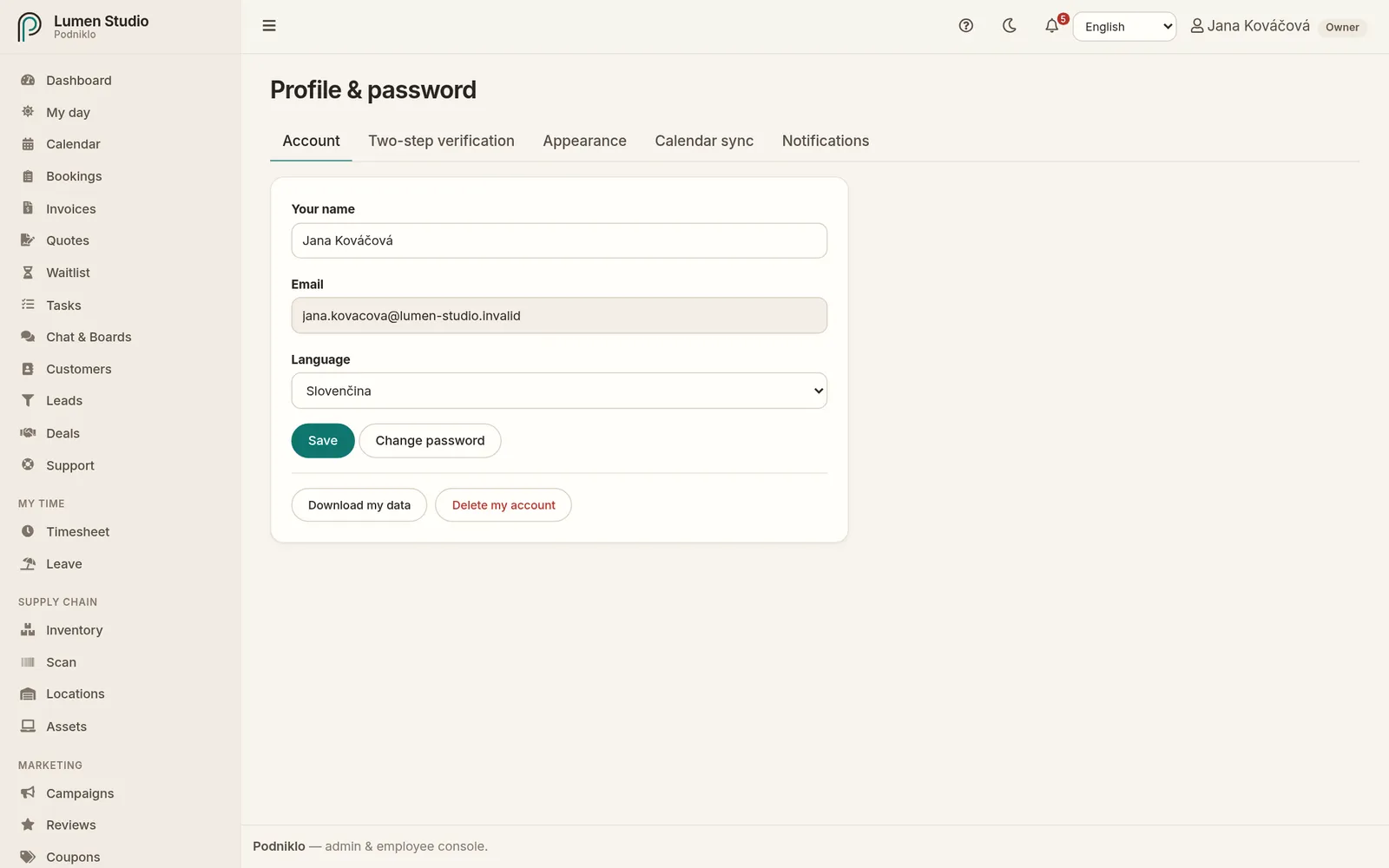
Your name, language, password and personal data. Open your profile from the user menu at the top right with Profile & password.
For: everyone on the team User menu → Profile & password
The Account tab of your profile.
Your profile has the tabs Account, Two-step verification, Appearance, Calendar sync (for staff and above) and Notifications. This page covers the Account tab; the others have their own guides.
Name and language
Change your full name and the app's language and click Save. If you change the language, the page reloads. You can't change the email you sign in with here; if you need to, write to us.
Changing your password
Click Change password.
Enter your current password and the new one twice (at least 8 characters).
Confirm the second verification step: an app code, a recovery code or a passkey.
Save. You're signed out on your other devices.
Downloading my data
Download my data gives you a file with everything Podniklo holds about you as a user. It's your right of access and data portability under the GDPR.
Deleting your account
Delete my account, confirmed with your password, permanently deletes your account, sign-in methods, notifications and calendar connections. You're signed out everywhere. Bookings, time entries and messages you created stay with the company.
If you're the only owner of a company, you can't delete your account. First make someone else an owner under Team, or close the company.